The question: Should you retrain the model, or give it something to read?
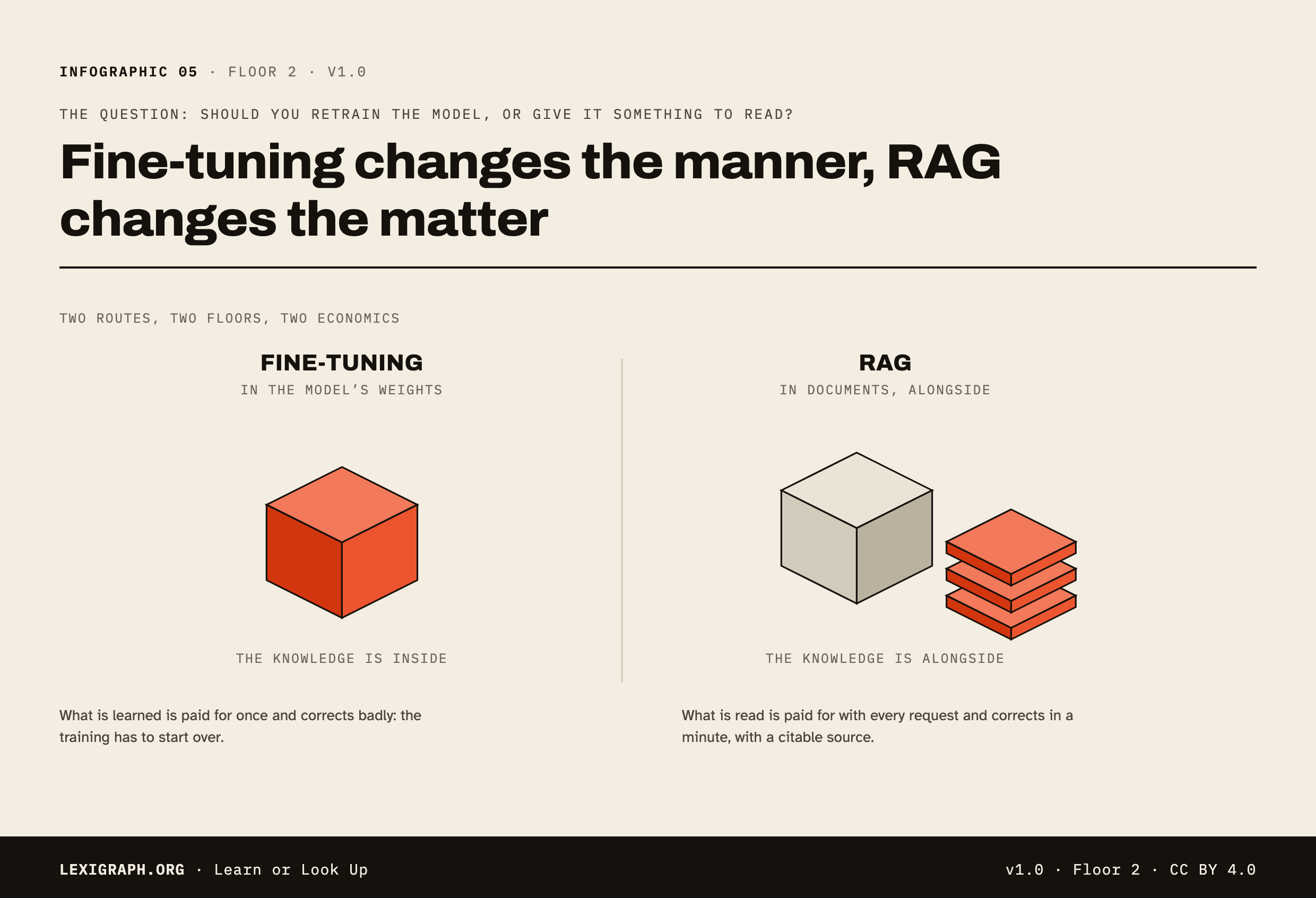
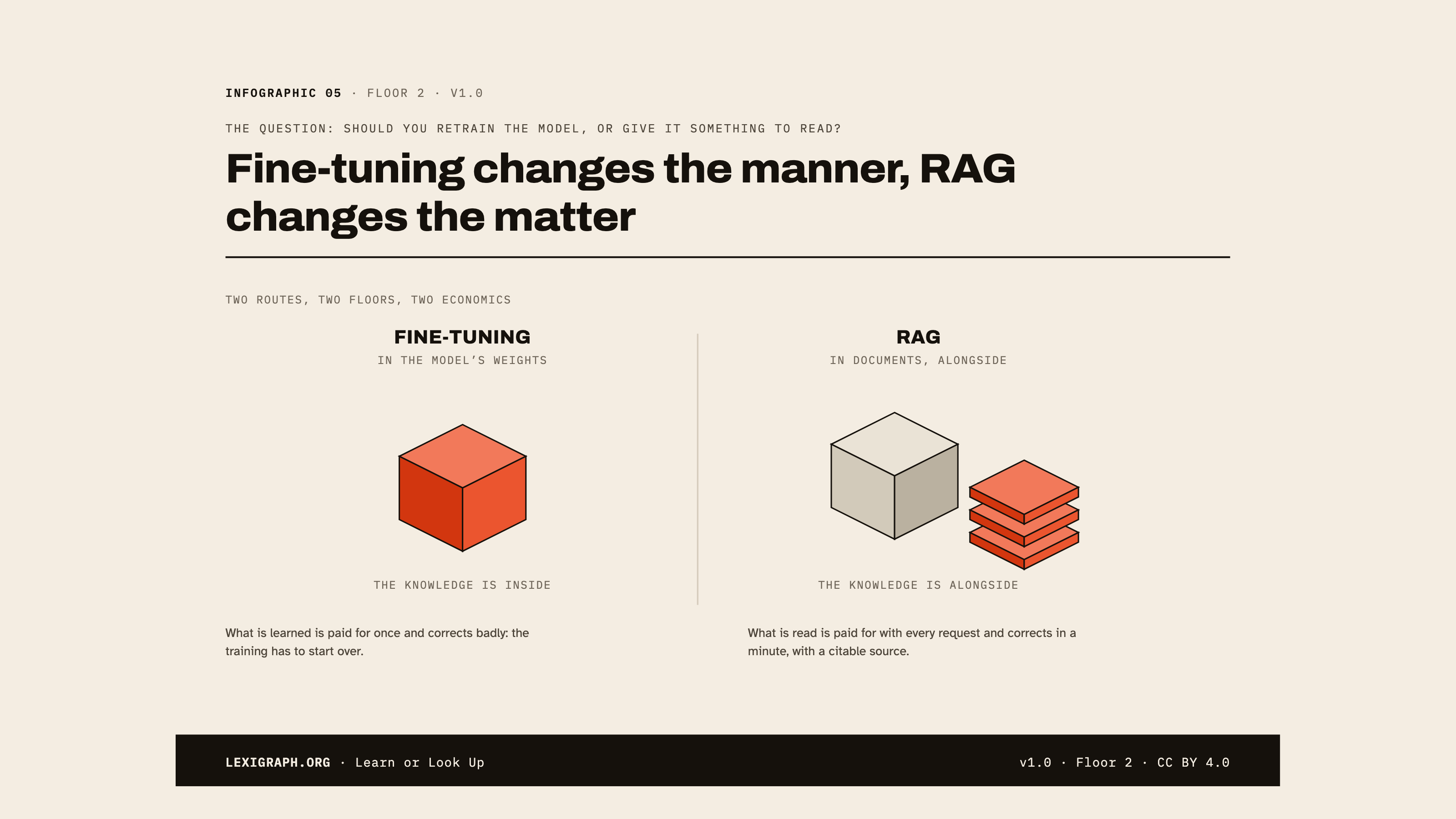
Fine-tuning changes the manner, RAG changes the matter
Both answer the same complaint, “it does not know our data”, but they do not touch the same object. Fine-tuning changes the model; RAG leaves it alone and changes what it has in front of it at the moment of the question.
Two different floors, so two different economics: what is learned is paid for once and corrects badly, what is read is paid for with every request and corrects in a minute.
A price list revised every month, an internal policy, a catalogue.
- BeforeYou gather examples and carry on with the training. The model changes.
- At question timeThe model answers on its own. Nothing is looked up.
- To correct itYou have to train again: the knowledge is diluted, you cannot take out one line.
The sourceNone: there is no way to say where the answer came from.
- BeforeYou prepare the documents and a way of finding them again. The model does not change.
- At question timeThe useful passages are retrieved and placed in the context. Then the model answers.
- To correct itYou edit the document. The next answer is already up to date.
The sourceCitable: you know which passage was used.
What this need calls forRAGInformation that moves belongs in documents. It has to be correctable in a minute and citable if it is challenged, and a training run allows neither.
The day the information changes
Fine-tuning
A new training run
Hours or days, a fixed cost, and no guarantee that the old information comes out cleanly.
RAG
A document edit
A few minutes, immediate effect, and the old version really does disappear.
This is where most projects make up their minds, and rarely at the moment of the initial choice: a system that cannot be corrected in a day ends up not being corrected at all.
Fine-tuning changes the manner of answering, RAG changes the matter you answer about. The question to ask is therefore not “which one is better”, but “is what I want to correct a behaviour or a piece of knowledge”. The two often combine, they never replace one another.
Glossary terms
Free to reuse with attribution. Poster mode is the printable, shareable version.
Download this infographic
CC BY 4.0Poster mode, as a file. Each one carries its cartouche: the credit to the source travels with the image, and it is the only thing asked in return.
- SVGVector, self-contained, scales without lossA website, an article, a large-format printDownload Learn or Look Up in SVG format
- PNGHigh-resolution image, 2480 px wideA document, teaching material, social mediaDownload Learn or Look Up in PNG format
- PNG 16:9The infographic fitted to a slideA presentationDownload Learn or Look Up in PNG 16:9 format

The SVG embeds its fonts: it opens identically in a browser and in a recent office suite. For a tool that does not read vector files, take the PNG.
Reuse this infographic
CC BY 4.0You can embed this infographic in an article, an intranet or teaching material. It stays interactive, and its cartouche links back here: that is the only thing asked in return.
<iframe src="https://www.lexigraph.org/embed/en/infographic/learn-or-look-up/" title="Learn or Look Up · Lexigraph" width="100%" height="900" loading="lazy" style="border:2px solid #181914"></iframe>Adjust the height to your own layout. For a fixed rendering (print, a slide), use poster mode rather than the embed.