The question: What does the model actually see?
What is not in the window does not exist
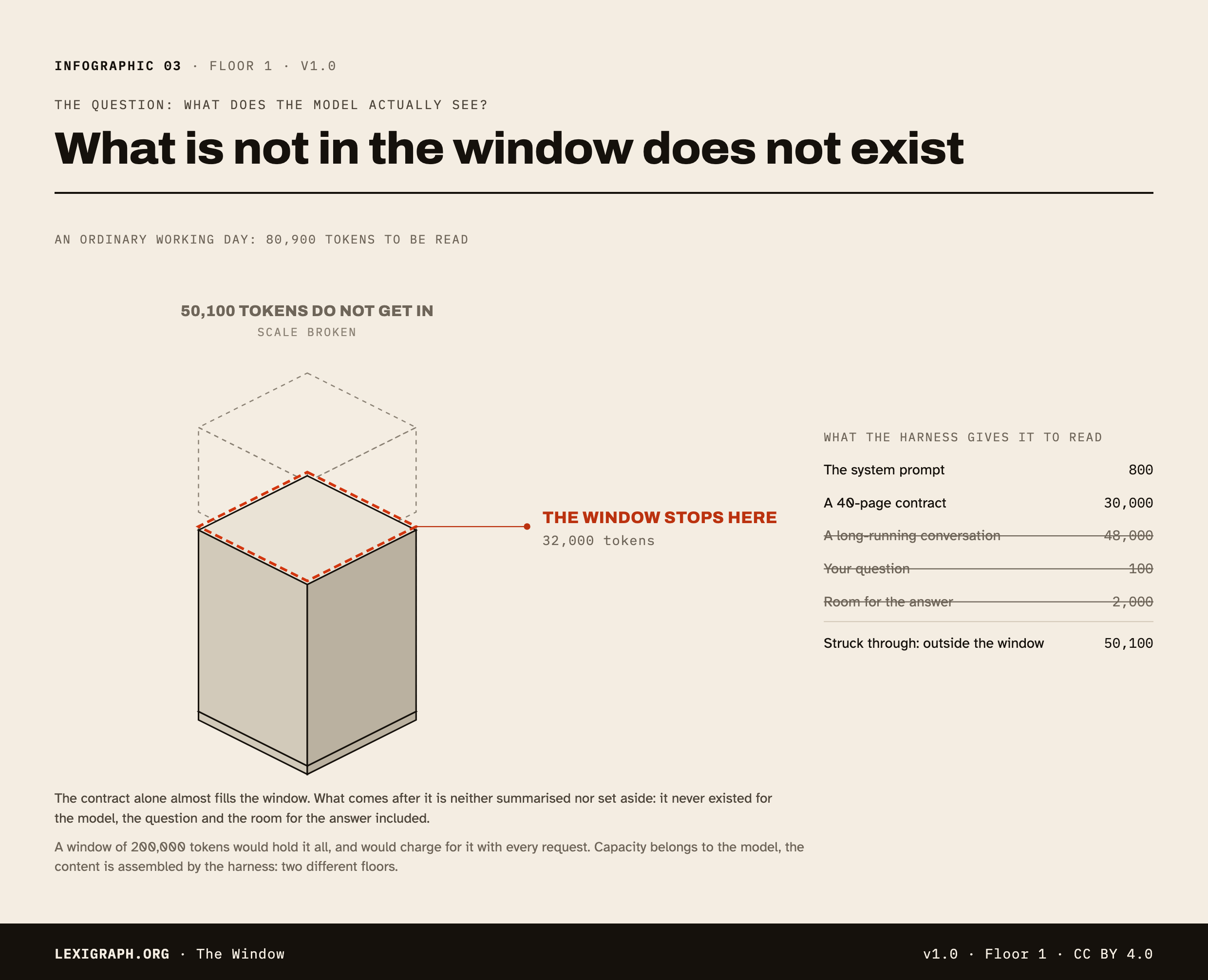
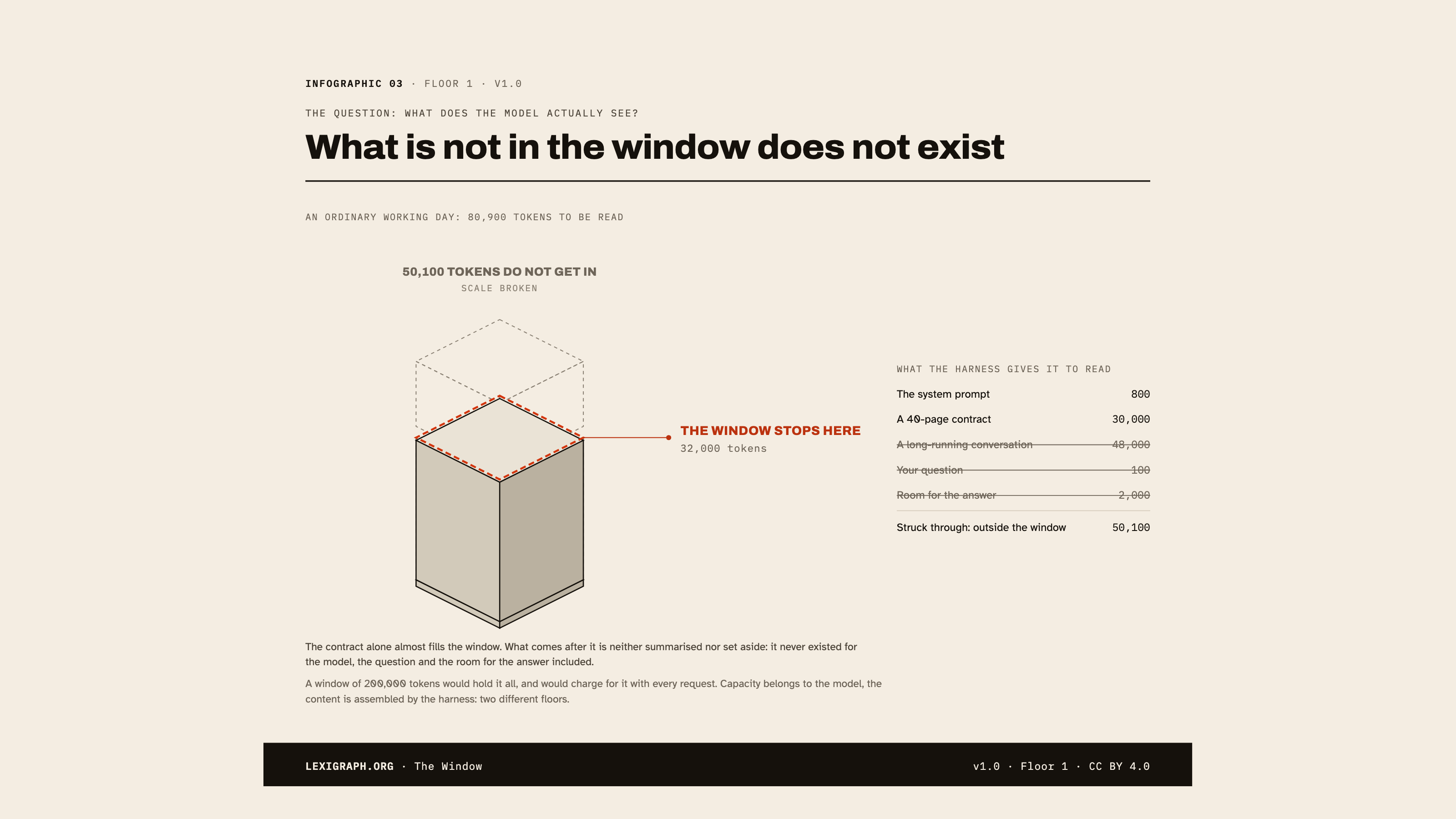
The model has no memory and no archive. With every request, everything it is going to need is put back in front of it: the standing instructions, the attached documents, the history of the exchange, your question. That stack is the context, and it fits in a fixed volume: the context window.
The distinction this infographic makes visible: capacity belongs to the model, the content is assembled by the harness. Nothing that overflows is forgotten, in the literal sense: it never existed for the model at all.
6,900 / 32,000 tokens
| In the window | Tokens |
|---|---|
| The system prompt | 800 |
| A short conversation | 4,000 |
| Your question | 100 |
| Room for the answer | 2,000 |
| Total asked for | 6,900 |
What the model seesIt all fits: 22 % of the window is taken, and room for the answer is set aside.
Three traps
- Filling it “just in case” is an anti-reflex. Everything you add is re-read with every request, so paid for with every request, and it dilutes what matters.
- The answer takes up the same window. A context filled to the brim leaves no room to answer in.
- A bigger window is no substitute for sorting. A whole knowledge base will never fit: that is exactly the job of RAG, which goes and fetches the right passages instead of handing over everything.
Thicknesses are proportional to the weight in tokens, with a minimum height so that the lightest items stay visible.
Glossary terms
Free to reuse with attribution. Poster mode is the printable, shareable version.
Download this infographic
CC BY 4.0Poster mode, as a file. Each one carries its cartouche: the credit to the source travels with the image, and it is the only thing asked in return.
- SVGVector, self-contained, scales without lossA website, an article, a large-format printDownload The Window in SVG format
- PNGHigh-resolution image, 2480 px wideA document, teaching material, social mediaDownload The Window in PNG format
- PNG 16:9The infographic fitted to a slideA presentationDownload The Window in PNG 16:9 format

The SVG embeds its fonts: it opens identically in a browser and in a recent office suite. For a tool that does not read vector files, take the PNG.
Reuse this infographic
CC BY 4.0You can embed this infographic in an article, an intranet or teaching material. It stays interactive, and its cartouche links back here: that is the only thing asked in return.
<iframe src="https://www.lexigraph.org/embed/en/infographic/the-window/" title="The Window · Lexigraph" width="100%" height="900" loading="lazy" style="border:2px solid #181914"></iframe>Adjust the height to your own layout. For a fixed rendering (print, a slide), use poster mode rather than the embed.